


In-Office and Remote Workforce Management
Get 360-degree visibility into in-office, remote, and hybrid teams.
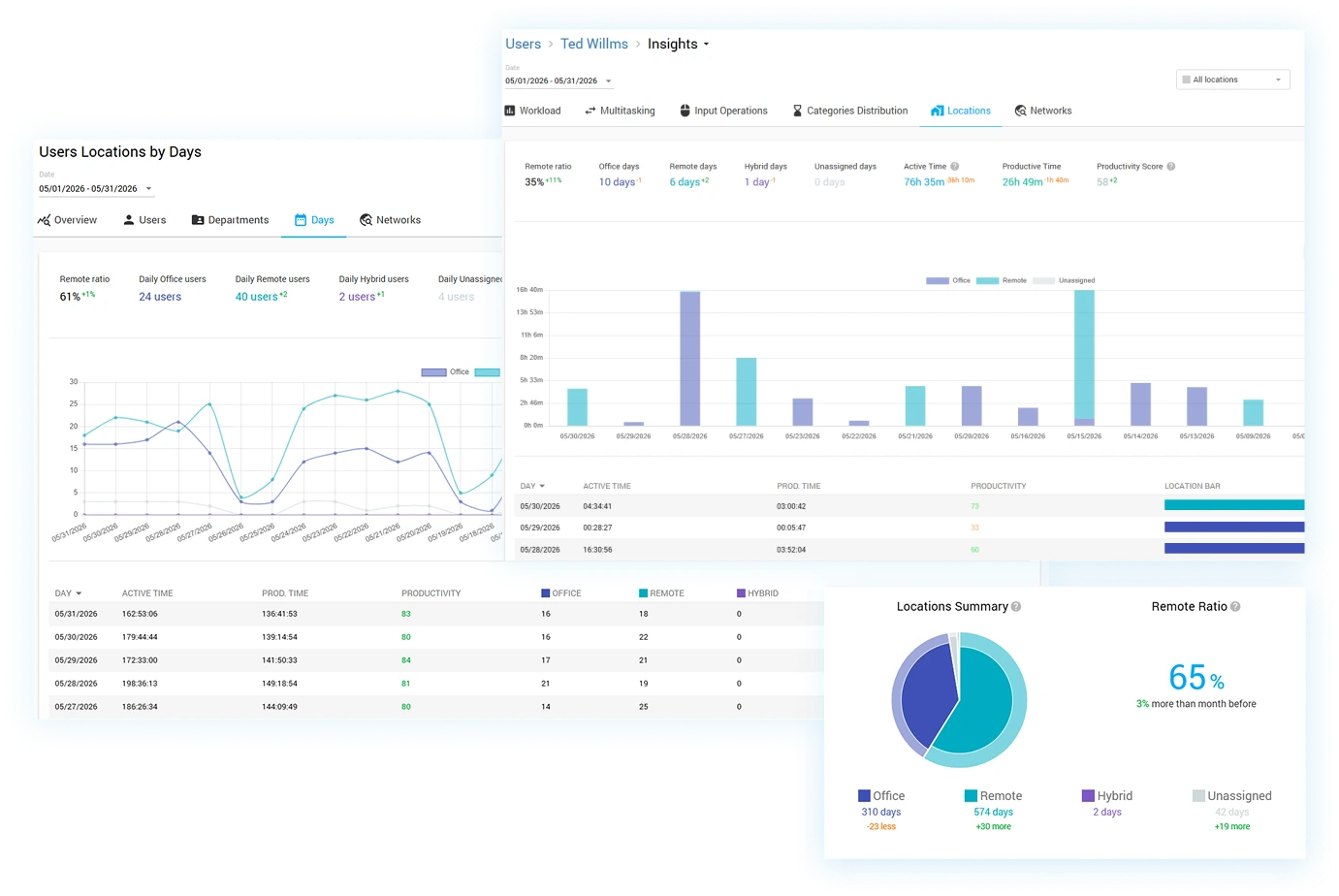
Automatic Location Detection
Automatically classify every employee as In-Office, Remote, or Hybrid — with no manual check-ins, badges, or timesheets required
Read the Locations Summary at a glance to see how office, remote, hybrid, and unassigned days break down across your workforce
Track your Remote Ratio and compare it against previous periods to monitor return-to-office and work-from-home trends over time
Follow Locations Daily Users to see how many people worked from each location on any given day
Manage in-office, remote, and hybrid staff side by side from one unified dashboard
Network-Based Location Mapping
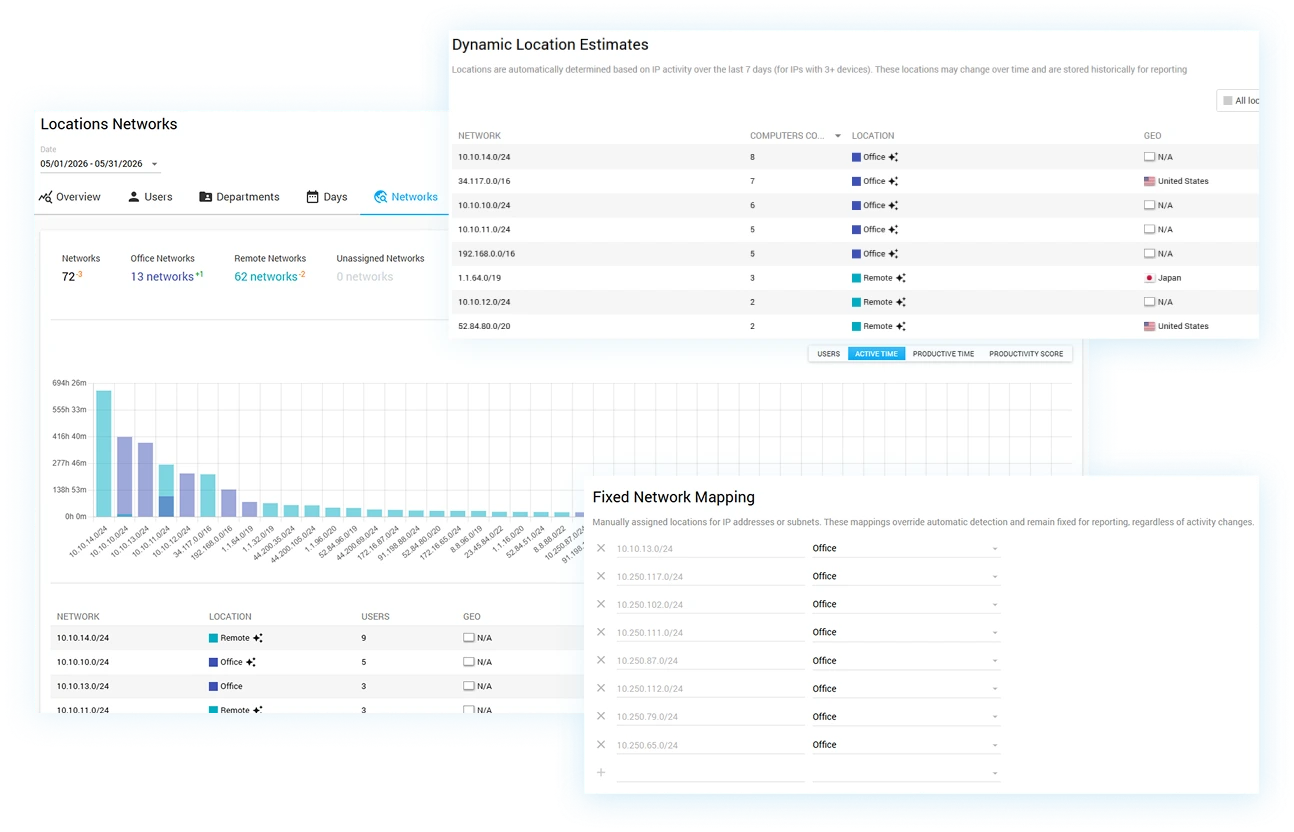
Determine work locations automatically from the networks employees connect through — office LANs, home Wi-Fi, or networks on the road
Review every detected network classified as Office, Remote, or Unassigned in a single Networks overview
Let Controlio's smart engine auto-estimate unassigned networks, so new IP ranges and subnets are categorized without manual setup
Fine-tune classifications by confirming or reassigning any network to keep location data precise as your offices change
Eliminate guesswork and manual mapping as employees move between sites, branches, and home offices
Productivity by Location
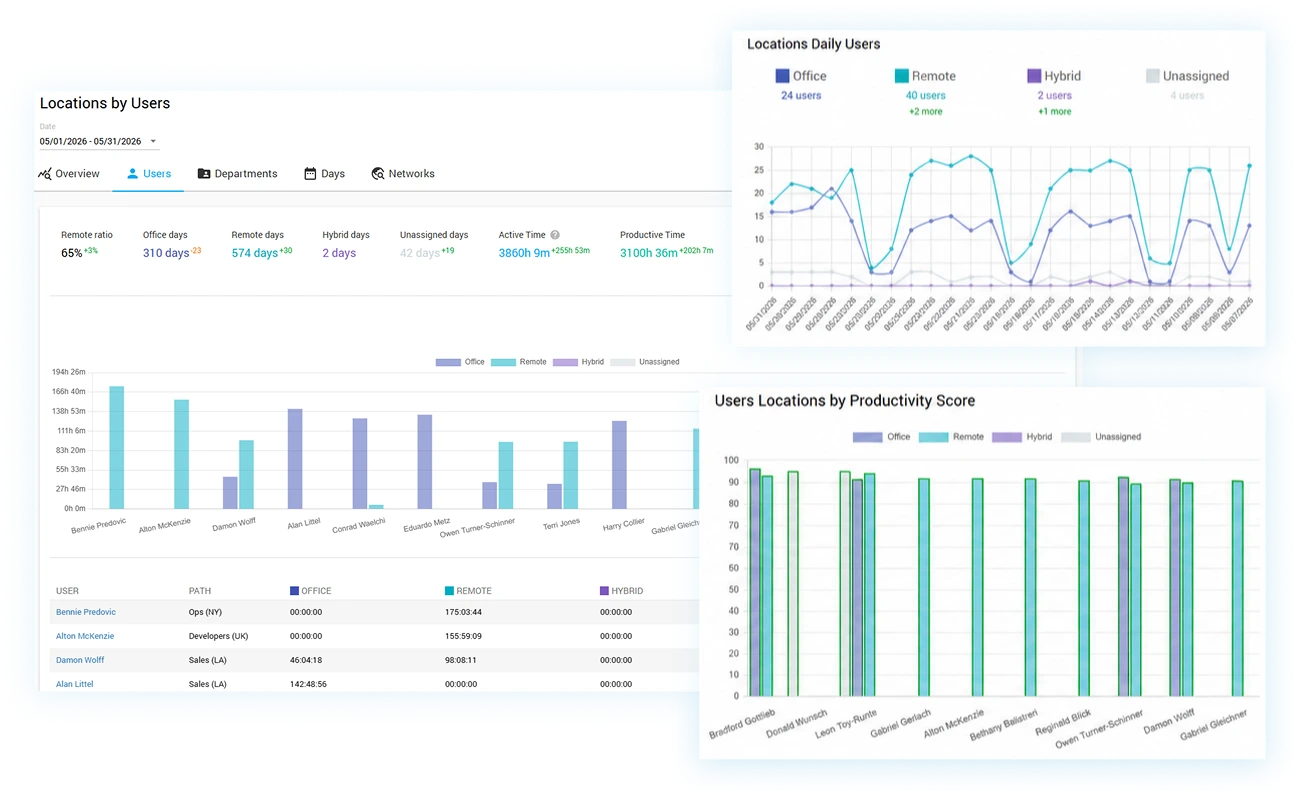
Compare productivity scores across office, remote, and hybrid employees to settle the work-from-home debate with data
Break down Active Time and Productive Time by location for every individual user
Reveal whether specific locations correlate with sharper focus or more distraction
Use per-employee Users Locations charts to coach individuals based on where they perform best
Back hybrid and return-to-office policies with objective, location-aware performance evidence
Team Location Insights & Reporting
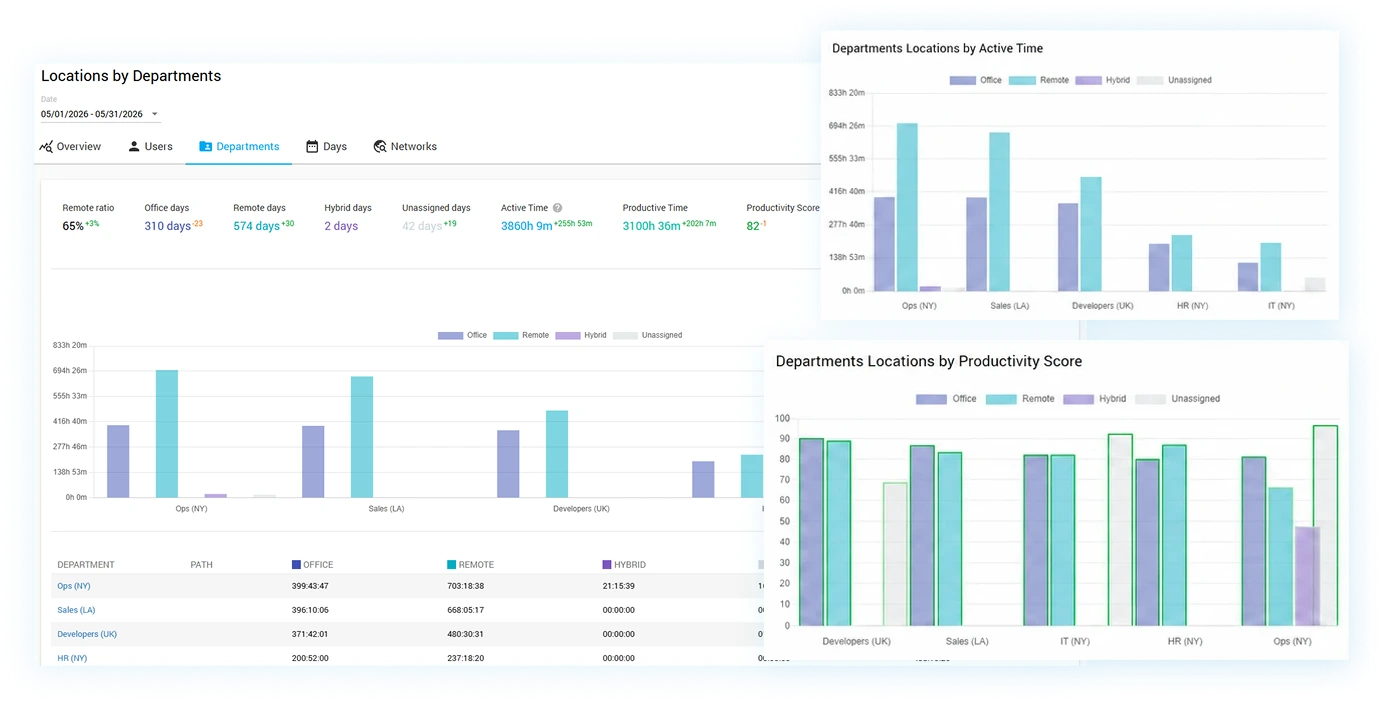
Roll location data up to the department level to see how whole teams split between office and remote work
Examine Departments Locations by Active Time and Productive Time to plan office space, seating, and scheduling
Filter any location view by user, department, or date range to answer specific workforce questions instantly
Export location and productivity reports to PDF/CSV, or schedule recurring delivery to managers and executives
Testimonials
“EXACTLY WHAT WE NEEDED FOR A GROWING REAL ESTATE BROKERAGE”
The biggest benefit has been understanding where operational bottlenecks occur before clients begin noticing delays. That visibility has improved transaction turnaround times and helped managers distribute work much more fairly across the office.

July 03, 2026
David H., Co-Founder, Apparel & Fashion, 51-1000 employees
Used the software for: 6-12 months
David H., Co-Founder, Apparel & Fashion, 51-1000 employees
Used the software for: 6-12 months
“DETAILED WORKFORCE ANALYTICS THAT GO BEYOND BASIC TIME TRACKING”
The time distribution analytics provide much deeper visibility than traditional tracking tools. Instead of simply seeing hours worked, we can understand how time is distributed across various activities and workflows. This has helped us identify operational inefficiencies and improve resource allocation.

June 22, 2026
Denitza F., VP R and D, Information Technology and Services, 11-50 employees
Used the software for: 1-6 months
Denitza F., VP R and D, Information Technology and Services, 11-50 employees
Used the software for: 1-6 months
“AUTOMATED REPORTING THAT KEEPS OUR CONTACT CENTER ORGANIZED”
The biggest improvement has been reducing administrative work for supervisors. Instead of manually tracking performance throughout the day, we can focus more on supporting agents and improving customer service quality.
July 06, 2026
Lucas T., CEO and Founder, Financial Services, 51-1000 employees
Used the software for: 1-6 months
Lucas T., CEO and Founder, Financial Services, 51-1000 employees
Used the software for: 1-6 months
Get a real feel of the features Controlio provides with the help of the live demo or initiate your productivity enhancement journey by signing up for a 14-day trial.