Activity Falsification Is Skewing Your Productivity Data: Detecting Mouse Jigglers, Macro Bots & AI Auto-Work Scripts
Phantom productivity is a thing now, often your dashboard shows misleading data like increased productivity and a drastic drop in idle time.
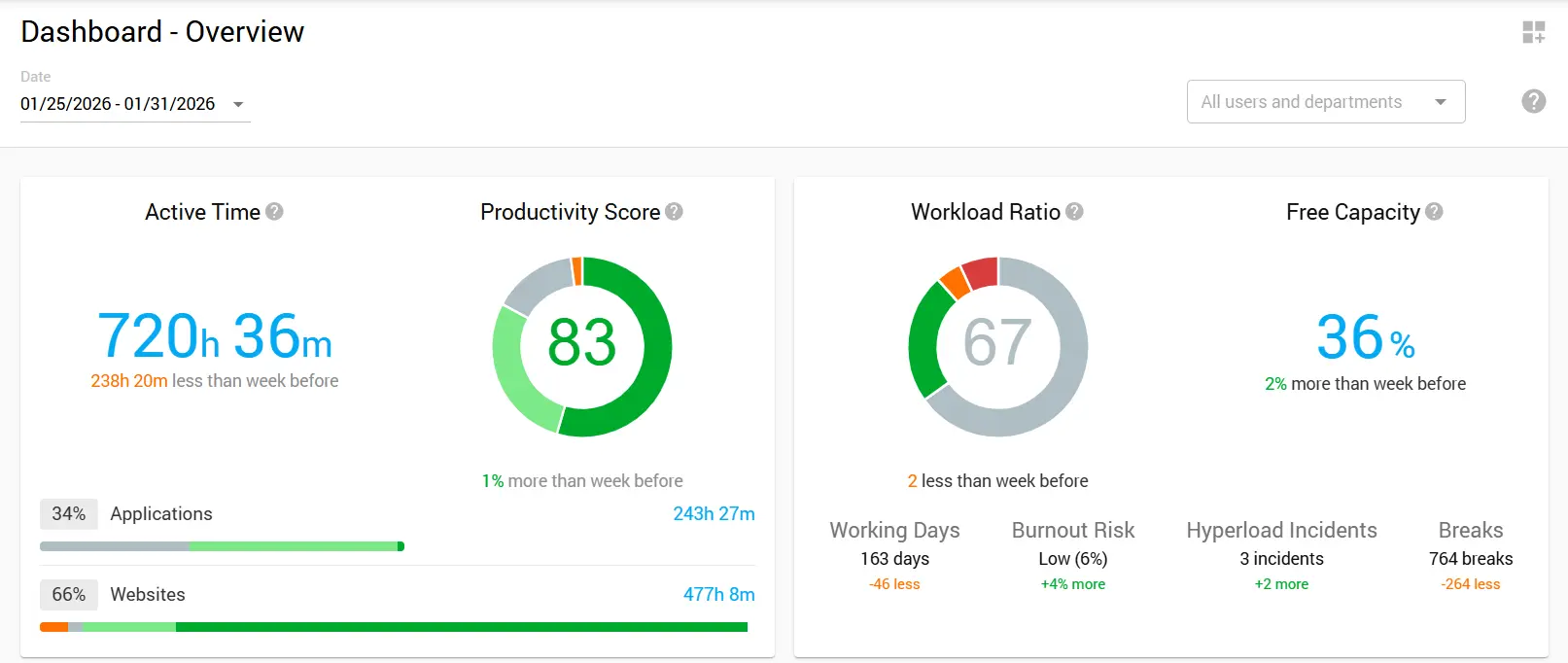
But something feels off. The numbers look a little too perfect. When you check real output, it doesn’t line up with what the activity data shows. If this feels familiar, you’re probably dealing with activity falsification.
And it’s getting harder to spot. What started with simple USB mouse movers has evolved into complex macro script activity monitoring challenges, AI-powered automation tools, and virtual machine setups designed specifically to defeat employee monitoring systems.
For IT security teams and workforce analytics administrators in hybrid organizations, detecting these schemes has become a critical priority. This guide covers activity falsification, details practical detection methods, and outlines a remediation framework that balances security with workplace trust.
Understanding the Scope of the Problem
Activity falsification extends far beyond what most organizations realize. A 2023 workforce analytics study found that about 7% of monitored employees engaged in fake activity during work hours. While this seems small, across a large organization it can cause notable productivity loss, skew analytics, and create security risks.
The motivations behind activity falsification vary considerably. Some employees use these tools to manage unrealistic workload expectations. Others exploit monitoring gaps to pursue side projects during work hours.
A smaller group uses falsification for more serious behaviors, such as timesheet fraud or hiding unauthorized activities. Whatever the motivation, the outcome is the same: productivity data becomes unreliable, leading to flawed organizational decisions.
What Constitutes Falsified Digital Activity
Falsified activity involves deliberately manipulating digital signals to make monitoring systems register engagement without actual work.
This can include hardware that simulates input, software that automates actions, and setups that mimic complex work patterns. The common thread connecting all falsification methods is the deliberate creation of false signals to circumvent detection of idle time spoofing.
Assessing remote worker authenticity requires recognizing legitimate automation in workflows. The key is transparency and intent. Using a macro to automate repetitive tasks under supervision is appropriate, while employing an auto-clicker to generate activity while away crosses into falsification.
Common Tools and Techniques for Faking Activity
Hardware-Based Solutions
USB mouse jigglers are the simplest form of activity falsification. They plug into a USB port and create subtle, regular mouse movements to prevent screen savers or idle detection from activating. IT teams now prioritize detecting these devices, as they are cheap, widely available, and some work without software, making traditional monitoring less effective.
Physical mouse movers take hardware falsification a step further. These mechanical devices physically move an optical mouse using rotating platforms or oscillating arms. These devices create real optical sensor movement instead of electronic signals, allowing them to bypass some USB-specific detection methods. Still, their distinctive movement patterns can be spotted by advanced analytics.
Software-Based Approaches
Auto-clicker applications represent the software equivalent of hardware jigglers. These programs generate mouse clicks and movements at configurable intervals.
More advanced versions randomize timing and movement to look natural. Some go further, adding fake keystrokes, app switching, and scrolling to create activity that appears real.
Macro scripts and automation tools are harder to catch. Technically skilled employees can build scripts that run sequences of actions that resemble real work.
This can include opening apps, typing preset text, switching windows, and moving the mouse in ways that look intentional. That’s why monitoring for scripted behavior matters when users understand how basic detection works.
Virtual machine setups allow users to run monitoring software in an isolated environment while using their actual computer for non-work activities. The virtual machine can run auto-activity scripts while the host system remains available for personal use. This approach creates significant blind spots in activity falsification analytics because the monitoring software sees only what happens within its virtual environment.
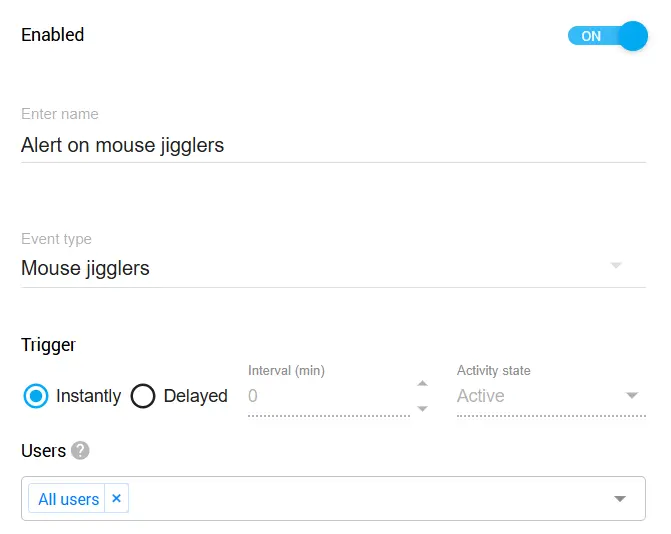
Controlio's Built-in Jiggler Detection: Organizations on Controlio's Advanced Plan benefit from a built-in rule that identifies common mouse jigglers and auto-clickers. Detected tools can be blocked automatically, and administrators receive real-time alerts. The detection database is updated regularly to track emerging falsification tools.
AI and Advanced Automation
The newest frontier in activity falsification involves AI-powered tools and robotic process automation misuse. AI agents can now generate contextually appropriate responses in collaboration tools and create plausible status updates.
Some employees use AI writing tools to automatically generate Slack messages and project updates during off-hours. RPA tools originally designed for legitimate automation have been repurposed to create sophisticated fake work patterns. These AI auto-work scripts represent the cutting edge of falsification technology and require equally advanced detection approaches.
Managing RPA in Your Organization: How you handle RPA tools depends on your company's stance. If your organization views RPA as a legitimate productivity tool, then actions performed by these tools can simply be tracked like any other employee activity, no special treatment needed. However, if your policy classifies RPA usage as circumventing monitoring, you can add specific RPA applications to Controlio's behavior rules for detection, blocking, and alerting. This flexibility lets each organization enforce its own standards.
Detecting Anomalous Input Patterns
Effective mouse jiggler detection and broader falsification identification requires understanding what genuine human input looks like and recognizing departures from normal patterns.
Human behavior exhibits inherent variability that automated systems struggle to replicate convincingly. By analyzing multiple dimensions of user input, organizations can identify anomalous input patterns that suggest falsification.
Keystroke Diversity Analysis
Zero keystroke diversity represents one of the clearest indicators of automated activity. When monitoring systems detect mouse movement and application activity but virtually no keyboard input over extended periods, something warrants investigation.
Genuine knowledge work typically involves substantial typing, whether composing emails, entering data, coding, or documenting processes. An activity profile showing hours of apparent engagement with minimal keyboard use suggests either highly unusual work patterns or falsification.
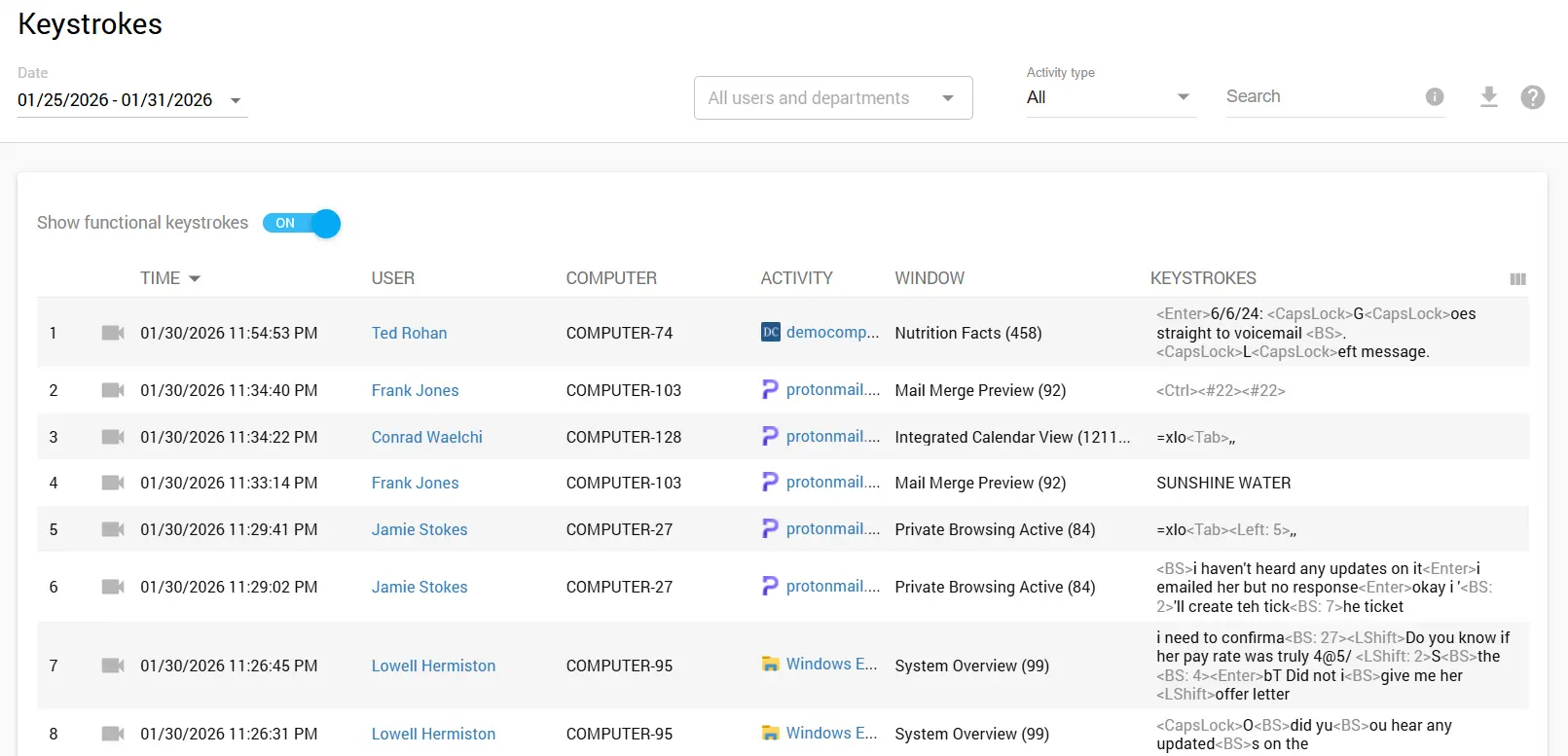
Beyond presence or absence of keystrokes, analyzing typing patterns provides additional insight. Human typing exhibits natural rhythm variations, error corrections, and pauses for thought. Automated keystroke generation tends toward mechanical regularity or follows obviously scripted patterns. Advanced detection systems can analyze keystroke timing entropy to distinguish human input from automated generation.
Data Export for Deeper Analysis: Controlio allows you to export keystroke data via CSV or REST API for further investigation. This capability proves valuable when you need to perform custom analysis or integrate activity data with other security tools in your environment.
Activity Ratio Monitoring
A key sign of falsification is an unusually high activity ratio. When active time nears 100% without natural breaks, it signals a red flag. Real work includes pauses for reading, problem-solving, meetings, or short rests, while jigglers and auto-clickers produce constant input, inflating activity metrics unnaturally.
Controlio tracks Active vs Idle time, making it straightforward to spot accounts where the numbers don't add up. When you see someone registering near-continuous activity over extended periods, especially combined with low deliverable output, it's time to take a closer look.
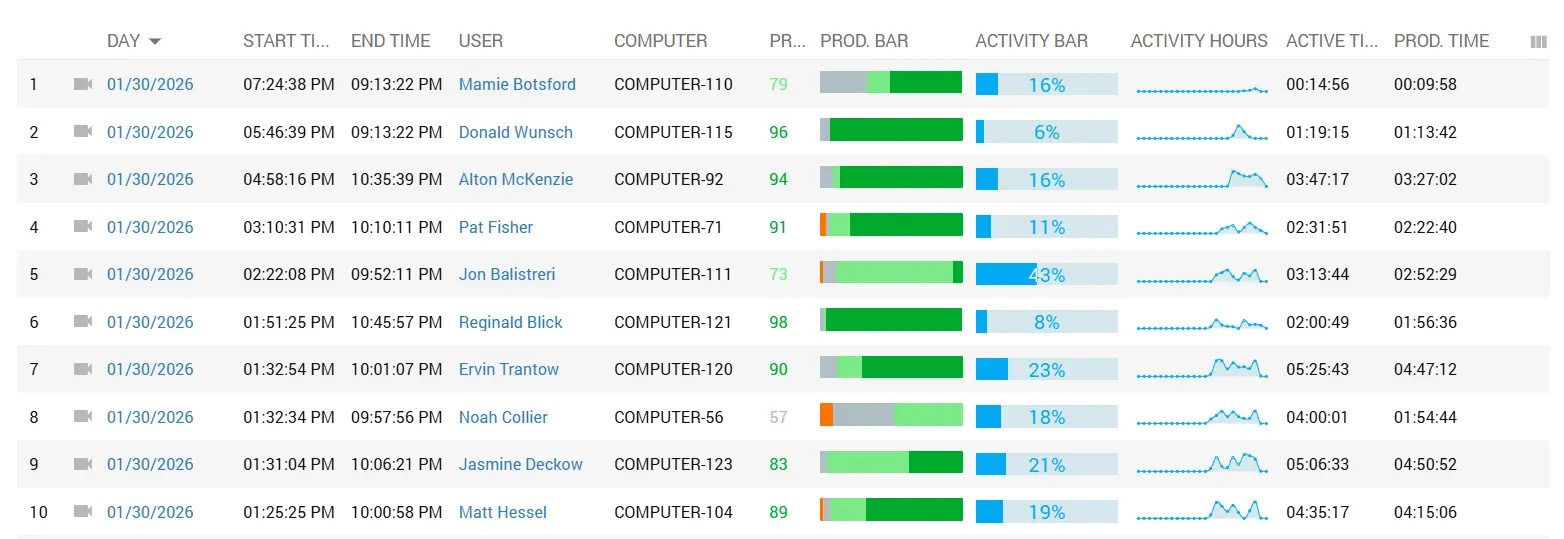
Input Operations Analysis
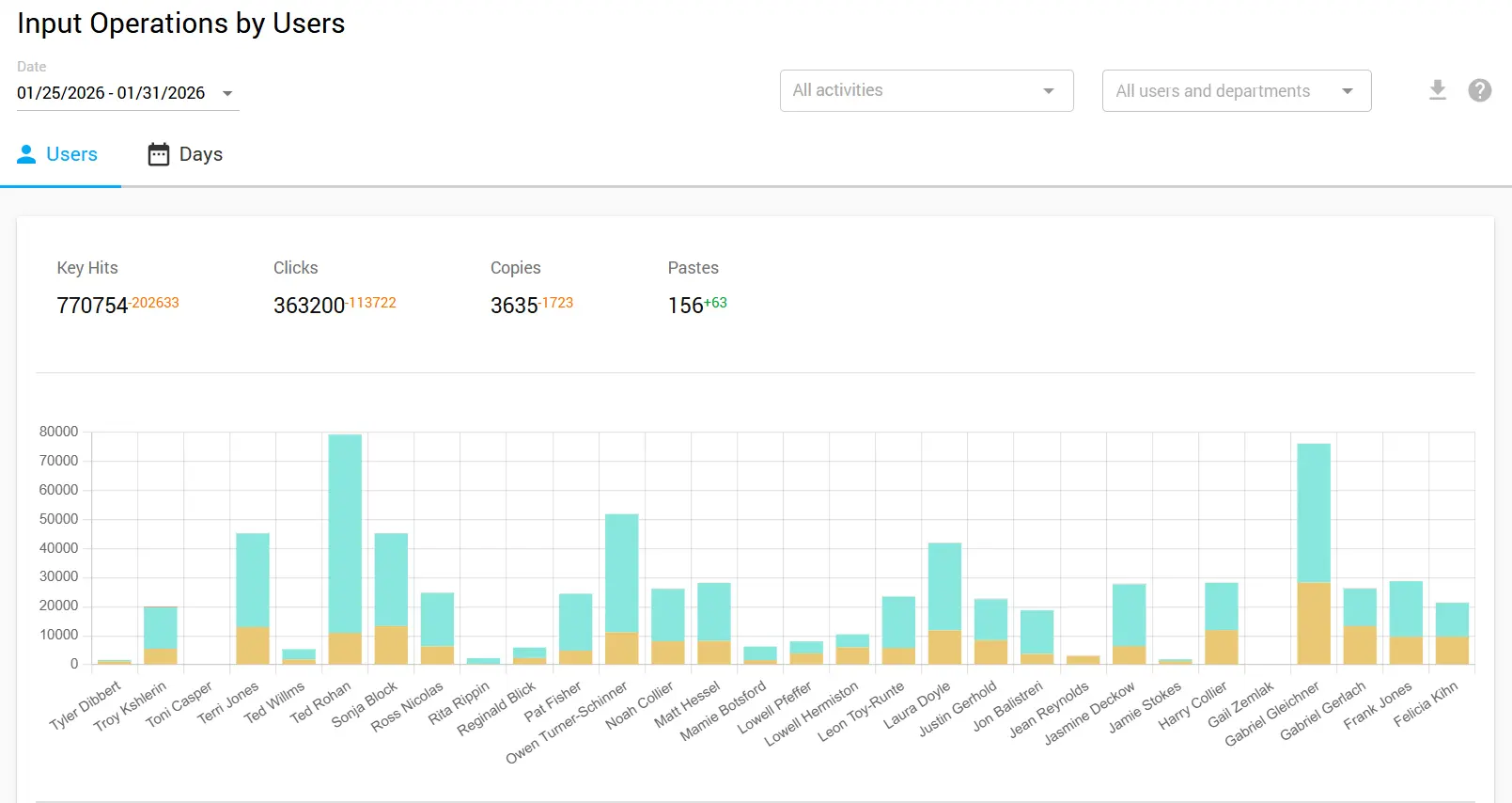
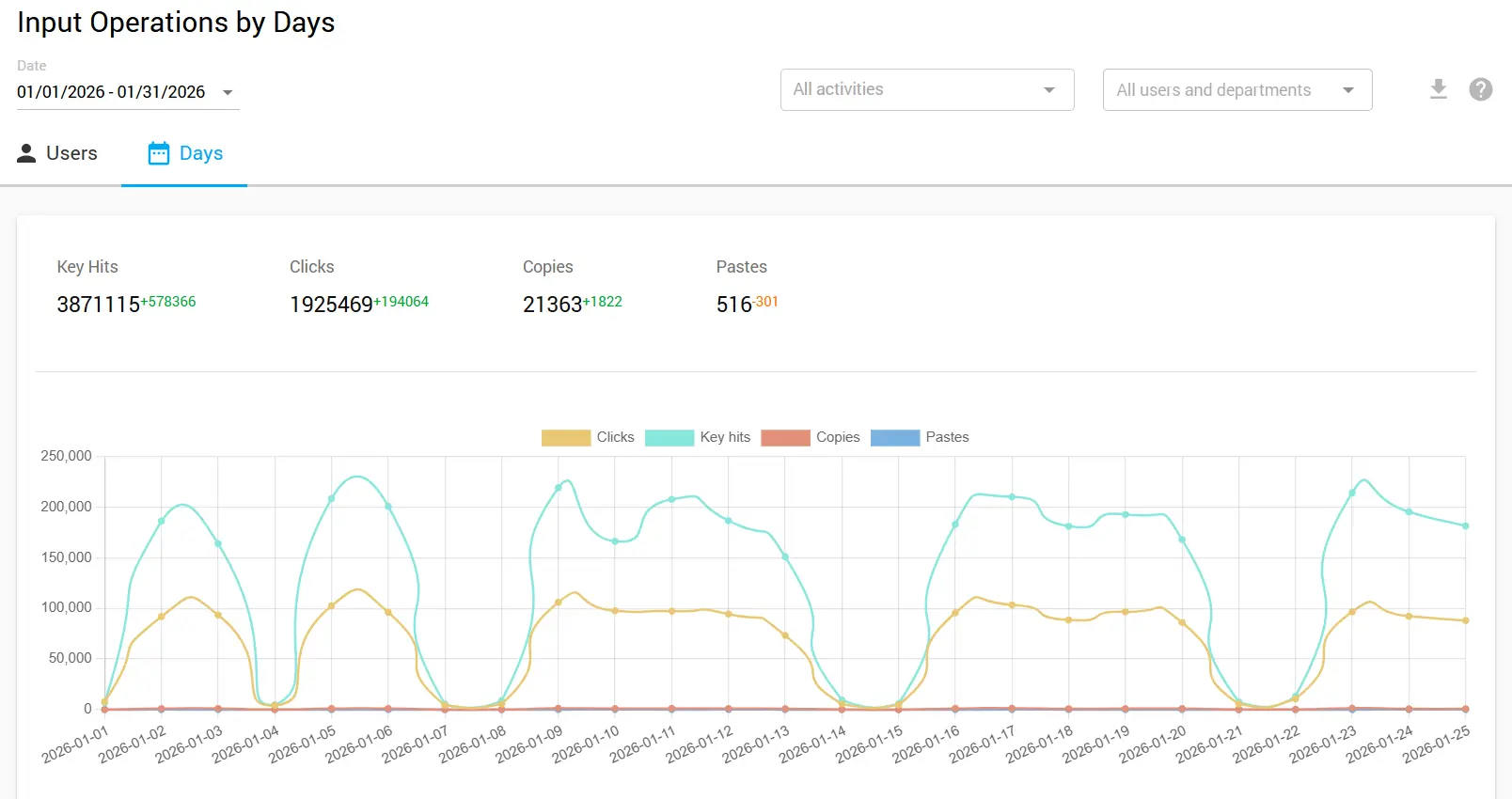
Another useful indicator is a significant drop in input operations. Genuine work typically produces a consistent baseline of keyboard and mouse interactions that varies within a recognizable range. When input operations suddenly plummet while "activity" remains high, you're likely looking at a jiggler keeping the session alive without actual work taking place.
Comparing input operation patterns over time helps establish what normal looks like for each employee, making anomalies easier to spot when they occur.
Contextual Correlation Signals
Task switch ratios provide valuable context for evaluating activity authenticity. Genuine work involves natural transitions between applications as users check email, reference documents, and communicate with colleagues.
Falsified activity often shows abnormally low task switching because maintaining convincing activity across multiple applications requires significantly more sophisticated automation. Monitoring for realistic application usage patterns helps identify accounts where input activity occurs without meaningful work context.
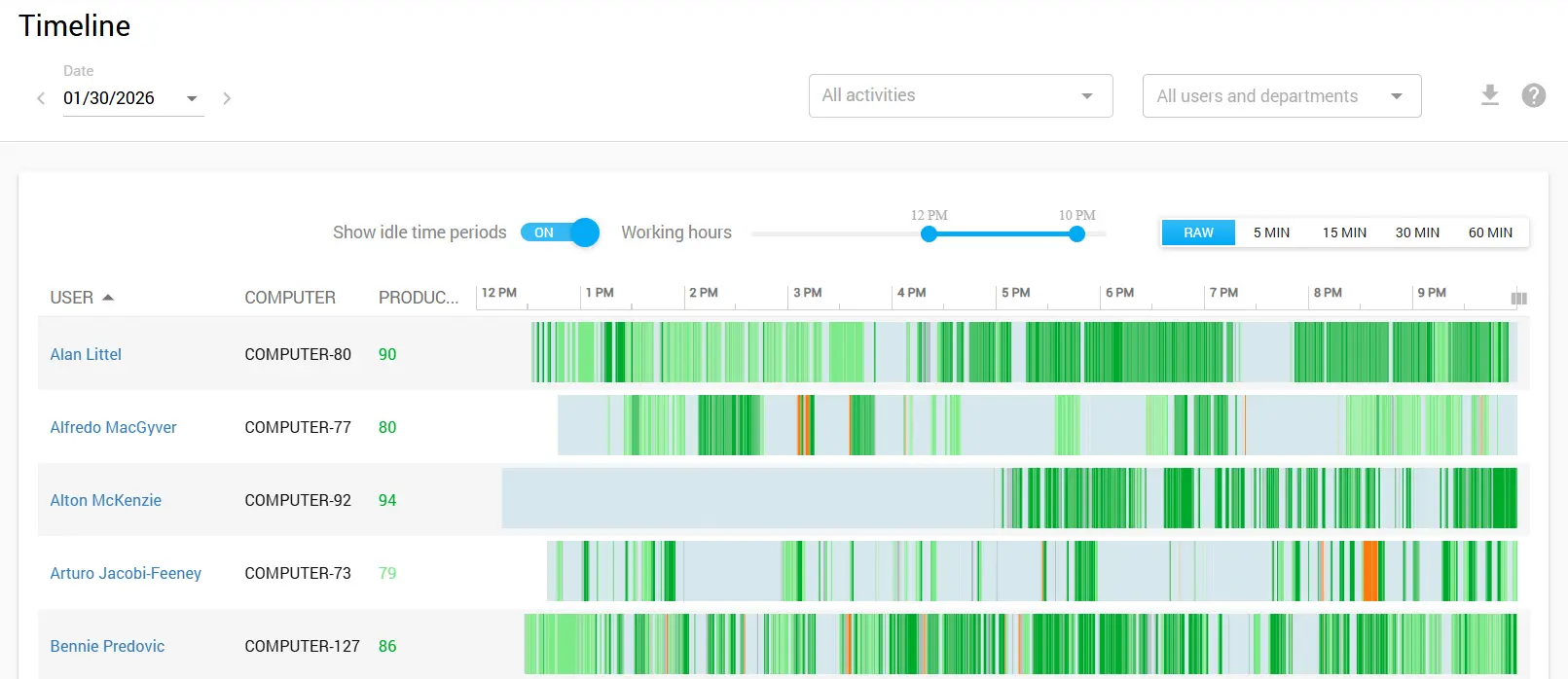
Off-shift activity spikes deserve particular scrutiny. When activity data shows unusual engagement during early morning hours, late nights, or weekends but the corresponding work output does not materialize, this pattern suggests automated activity running while the employee is unavailable. Cross-referencing activity timestamps with communication patterns, collaboration tool presence, and actual deliverable completion helps identify these discrepancies.
| Indicator Category | Warning Signs | Detection Method |
|---|---|---|
| Keystroke Patterns | Zero diversity, mechanical rhythm, no error corrections | Entropy analysis, timing variance measurement |
| Activity Ratio | Near 100% activity, no natural idle periods | Active vs Idle time comparison |
| Input Operations | Significant drops while activity stays high | Baseline comparison over time |
| Task Switching | Abnormally low ratios, single-app activity | Timeline report analysis |
| Timing Anomalies | Off-shift spikes, activity without output | Timestamp cross-referencing, deliverable matching |
Building a Response Framework
Dealing with activity falsification works best when security and workplace culture are both considered. Strict measures can break trust, drive employees away, and cause legal issues. Using a step-by-step response keeps actions fair and measured.
Step 1: Education and Awareness
Make sure employees understand monitoring rules and the reasons for them before tightening detection. Often, fake activity happens from unclear expectations, not bad intentions.
Clear communication about acceptable tool usage versus problematic behavior establishes the foundation for enforcement. Explain that the organization monitors for productivity data accuracy rather than micromanagement.
Learn more about creating effective monitoring policies here
Step 2: Metric Calibration
Check if your metrics track real work, not just clicks or keystrokes. Focusing only on activity can push people to game the system. Measure results that matter. This approach reduces falsification motivation while improving analytics value.
Explore outcome-based productivity measurement strategies in our Workforce Analytics Guide
Step 3: Technical Detection Implementation
Deploy detection capabilities that identify the anomalous patterns discussed earlier. Configure alerts for zero keystroke diversity scenarios, unusual mouse movement characteristics, and suspicious timing patterns. Establish baseline profiles for normal user behavior to improve detection accuracy.
Step 4: Investigation Protocol
When detection systems flag potential falsification, follow consistent investigation procedures. Gather additional context before reaching conclusions. Compare flagged activity against deliverable completion, communication patterns, and manager feedback. Investigations should remain confidential until sufficient evidence supports further action.
Step 5: Progressive Policy Enforcement
When investigation confirms falsification, apply consequences proportional to severity and intent. First-time occurrences might warrant documented conversations and clarified expectations.
Repeated violations require escalating responses. Ensure human resources involvement and legal review for serious cases. Document all enforcement actions thoroughly to maintain consistency.
Balancing Detection with Trust Culture
When monitoring gets too aggressive, trust breaks down. People feel watched. They pull back. Some leave. That hurts remote and hybrid teams more than it helps. You need basic checks, yes, but not a setup where employees feel like they’re working against the system.
Transparency in Monitoring Practices
Organizations that communicate openly about monitoring practices, including falsification detection capabilities, typically experience better outcomes than those attempting covert surveillance.
Transparency establishes clear boundaries while reducing the perception that monitoring represents distrust. When employees understand that detection focuses on obvious gaming rather than scrutinizing every action, resistance decreases.
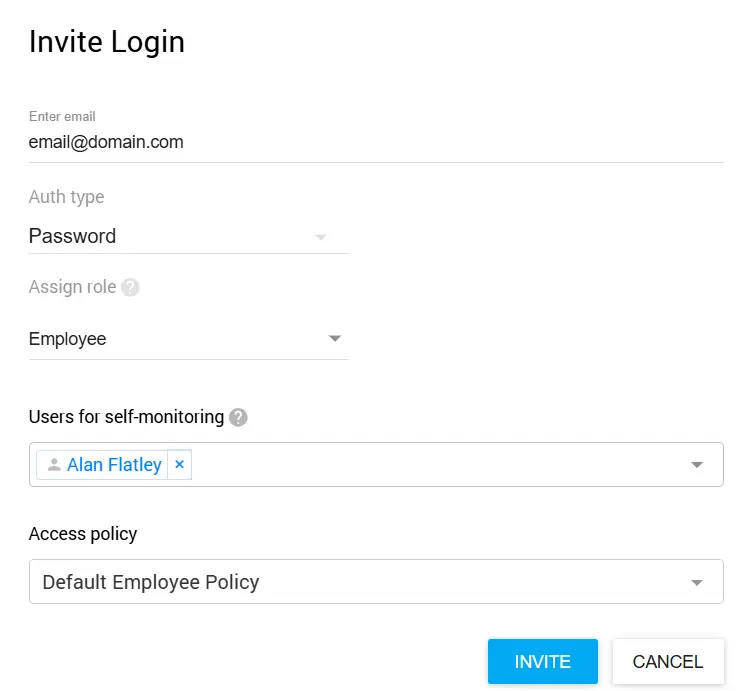
The self-monitoring feature in Controlio allows monitored employees to view their own data in a dashboard, ensuring transparency in tracking.
Focus on Outcomes Over Activity
The most effective approach to reducing falsification involves reducing its value proposition. When performance evaluation emphasizes deliverables, quality, and collaboration rather than activity metrics, employees have less incentive to game monitoring systems.
Activity data becomes a supporting signal rather than the primary measurement, diminishing the appeal of falsification tools.
Read our guide on Building Trust-Based Remote Work Monitoring Programs
Addressing Root Causes
People don’t fake activity for no reason. It usually points to problems inside the organization. Too much work. Metrics that don’t make sense. Managers watching activity instead of results. When that happens, people adapt by gaming the system.
Fixing those issues usually matters more than adding smarter tracking tools.
Implementation Checklist
Use this checklist to systematically address activity falsification in your organization:
Assessment Phase:
- Audit current productivity metrics for gaming vulnerability
- Review existing monitoring capabilities and gaps
- Analyze historical activity data for anomaly patterns
- Identify high-risk roles or departments
Policy Development:
- Draft clear acceptable use policies for automation tools
- Define falsification and associated consequences
- Establish investigation and enforcement procedures
- Obtain legal and HR review of policies
Communication and Training:
- Communicate monitoring policies to all employees
- Train managers on recognizing falsification indicators
- Establish reporting channels for concerns
- Schedule regular policy reminder communications
Ongoing Operations:
- Monitor detection system effectiveness
- Review and update detection rules periodically
- Track emerging falsification techniques
- Adjust metrics to reduce gaming incentives
Conclusion
Activity falsification is a real issue for organizations that use workforce analytics to manage hybrid and remote teams.
What started with basic USB mouse jigglers has grown into automated scripts that mimic work behavior, making fake productivity harder to spot. At the same time, detection methods have improved.
IT teams now look at patterns like keystroke variety, mouse movement consistency, task switching, and timing irregularities to flag most falsification attempts.
The strongest response goes beyond tools. It blends technical controls with clear policies and workplace awareness. Teams that explain monitoring openly, measure results instead of raw activity, and deal with the reasons people game the system tend to see better outcomes than those relying only on surveillance.
Tools like Controlio provide the technical foundation for authentication and detection, but lasting solutions require balancing security concerns with workplace trust.
As falsification techniques continue evolving, so must detection approaches. Keeping up with new tools, reviewing how well detection methods work, and maintaining open communication with employees helps manage this issue.
The aim isn’t constant monitoring, but confidence that productivity data reflects real work. Achieving that goal protects organizational interests while preserving workplace culture.
Explore our complete Workforce Analytics Solutions to see how Controlio can transform your productivity monitoring approach
Experience comprehensive activity falsification detection and workforce analytics firsthand. No credit card required.